Live chat. Clear answers.
One connected team.
Bring website chat, support tickets, and your knowledge base into one workspace. Help customers find answers—and give your team the context to finish the job.
A branded widget gives a website visitor a direct route to your team.
Sample conversation. No live request is sent.FROM HELLO TO RESOLVED. Live chat Shared inbox Knowledge Assisted answers Workflows
The right context.
At the right moment.
Support feels better when the conversation stays connected. From a quick website question to work that needs follow-up, the story stays with your team.
Make the first
hello effortless.
A website widget that carries your brand and gives visitors a direct path to helpful answers or a real person.
Explore website chat 02 / COLLABORATEKeep every handoff
in the conversation.
Shared history, private notes, and clear ownership help teammates pick up the work without starting over.
Explore the inbox 03 / EMPOWERMake good answers
easy to find.
Publish useful knowledge for customers to browse and your team to share. Keep reviewed information at the center.
Explore knowledgeYour best answers.
Always in the conversation.
Write it once. Review it carefully. Make it useful across the help center, the widget, and your team’s everyday work.
Put knowledge at the centerA clearer answer
to a common question.
Useful instructions. Reviewed by your team.
Let customers explore.
Keep a path to a person.
 Actual interface · Illustrative demo data
A place for every request.
An owner for the next step.
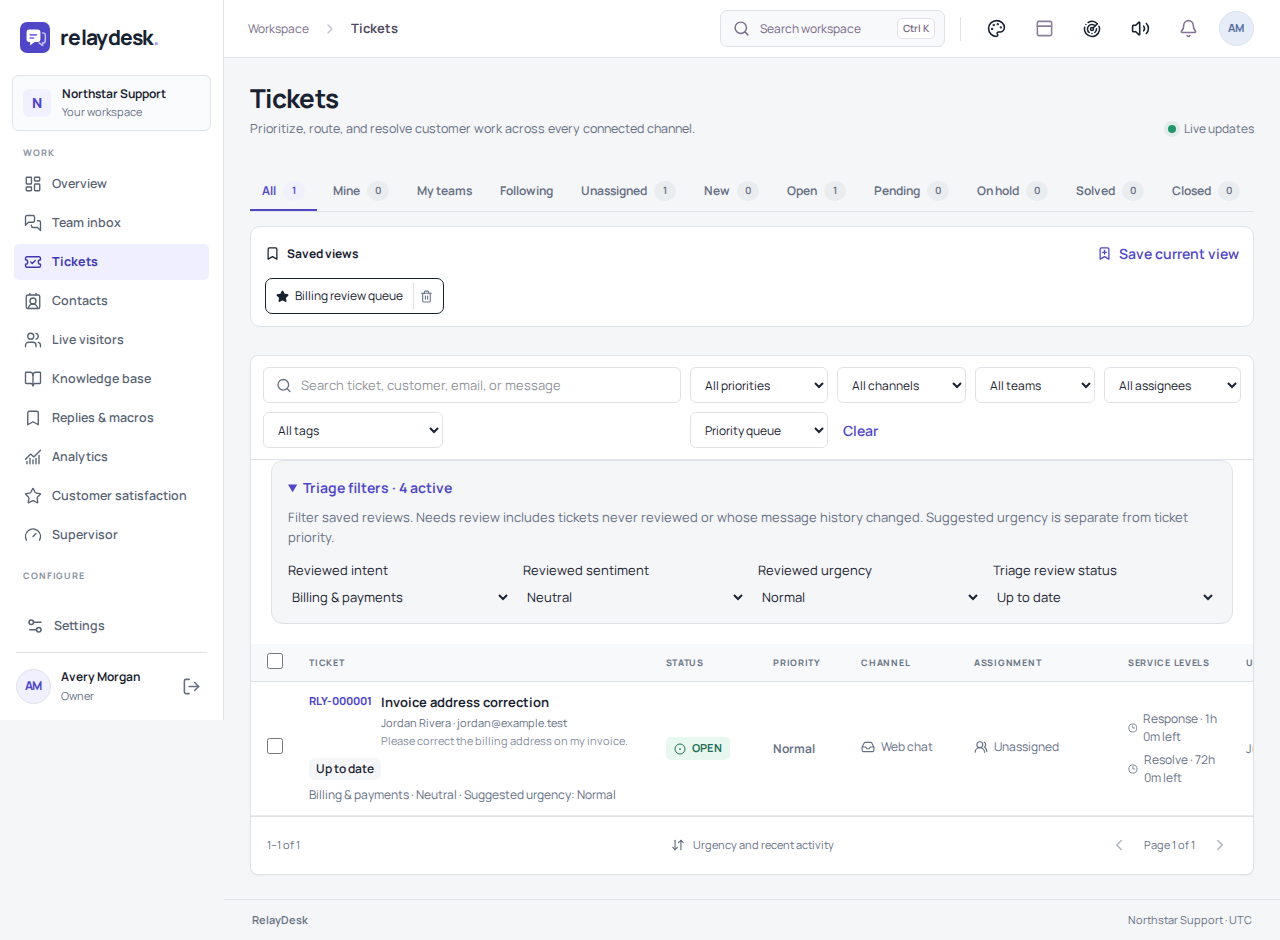
Keep quick questions moving. Give longer work a ticket reference, a clear status, and the details your team needs to act.
- Focus with queues and saved views
- Collect the right details with ticket forms
- Use private notes for internal context
Help your team move.
Keep their judgment.
Start with explicit rules and reviewed knowledge. Add AI assistance where it helps, with a clear route back to a teammate.
Define the boundaries
Choose what the assistant can use, when it should hand off, and which requests need human attention.
Review before acting
Use draft replies and triage suggestions as assistance. Your team decides what to send and which labels to keep.
Understand the result
Inspect rule activity and version history. Publish changes deliberately and revisit them as your workflow evolves.
You shouldn’t have to
figure it out alone.
From the first widget installation to advanced ticket workflows: practical guides, real interface examples, and reference material for the people doing the work.
Open the documentation78 practical guides · Searchable by task · Printable walkthroughs
Responsible support starts with clear controls.
Roles, account security, private notes, and operational guidance—explained in plain language.
Can we start with website chat only?+
Yes. Start with a widget and your team inbox. Add knowledge, formal ticket workflows, and optional automation as your process develops.
What happens after I get started?+
Tell us about your team and preferred plan. We review your requirements and commercial terms, then provide an owner invitation when your workspace is ready. Requesting access does not start a subscription.
Can the assistant hand a conversation to a person?+
Yes. Configure handoff behavior and verify it with a real test. External AI features require a configured provider and should be reviewed for your use case.
How do I choose a plan?+
Compare the included seats, conversation capacity, and other limits on our Pricing page. Ask us to confirm provider connections and any custom requirements before purchase.